外观
我的Opencode终于用上了免费的Claude Opus 4.5(赶紧跟上)
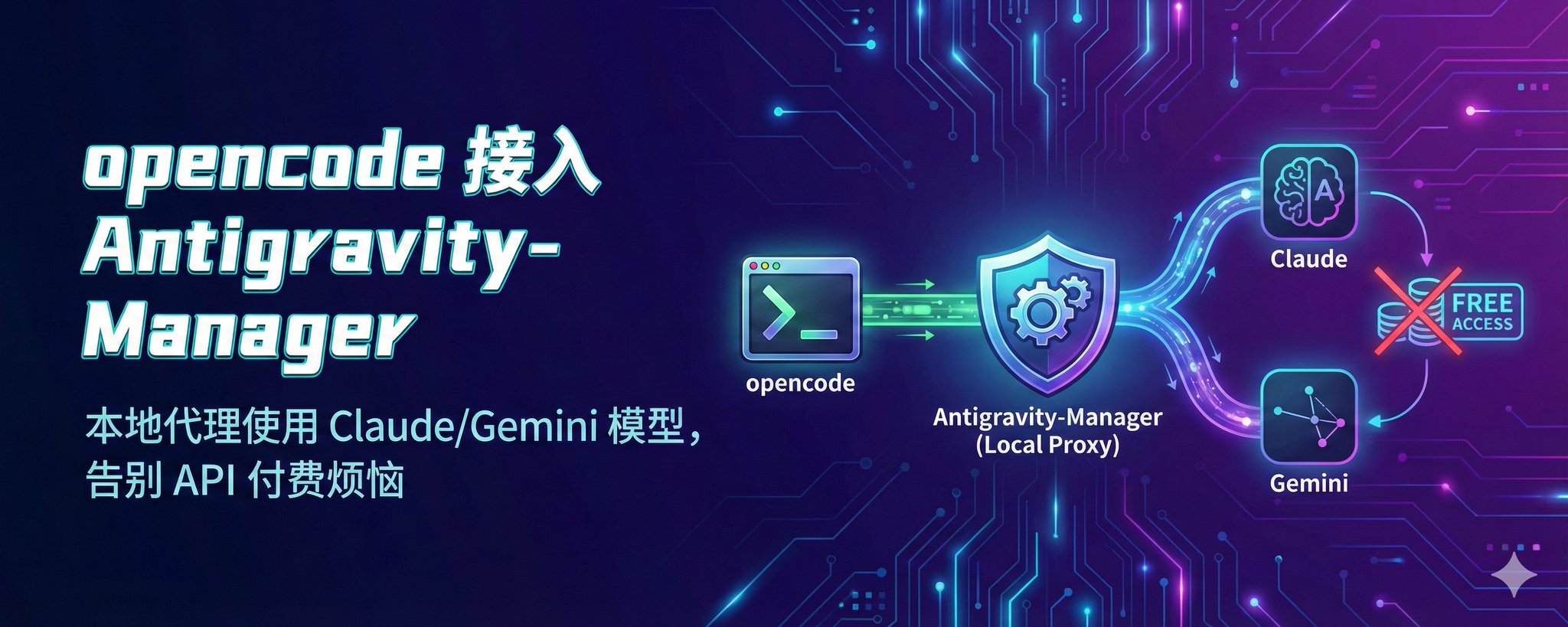
好多朋友一直想用Claude Opus 4.5,但是苦于没有好的ip无法订阅Anthropic产品,再就是Anthropic真是一家封号狂魔公司,动不动就把账号封了,也是醉了,算了,不吐槽他了,步入正题。
你需要准备什么
- Windows 或者 MAC
- 全程梯子打开
- Antigravity-Manager(务必升级到 4.x 最新版)
- opencode
- 一个已授权的 Google 账号
Step 1️⃣ 配置 Antigravity-Manager
添加账号
账号页面 → 添加账号 → OAuth → 完成 Google 授权
不会的可以参考:
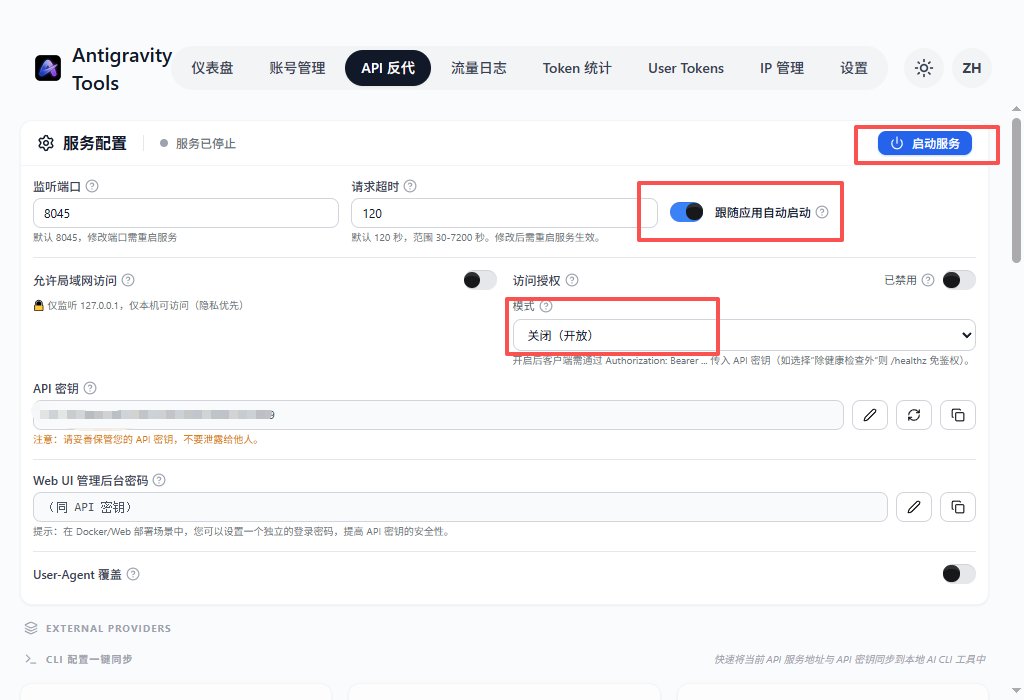
开启反代
API 反代页面 → 启动服务
- 端口:8045
- 自启动:跟随应用自启动
- 访问授权:关闭
- 局域网访问:按需
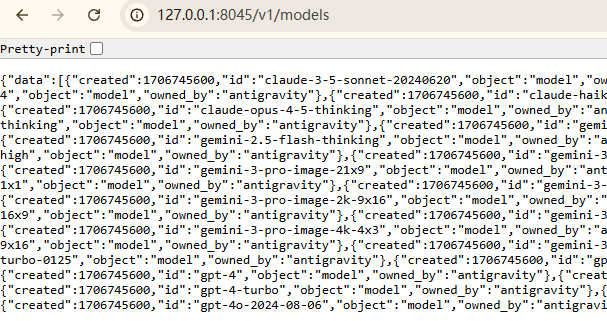
验证
浏览器访问 http://127.0.0.1:8045/v1/models
看到 JSON 模型列表 = 成功
Step 2️⃣ 配置 opencode
Opencode按照默认路径安装即可
下载地址:https://opencode.ai/
找到配置文件添加Opus 4.5以及其他Gemini3模型:
C:\Users\你的用户名\.config\opencode\opencode.json替换为以下内容:
json
{
  "$schema": "https://opencode.ai/config.json",
  "provider": {
    "antigravity-local": {
      "npm": "@ai-sdk/openai-compatible",
      "name": "Antigravity Local",
      "options": {
        "baseURL": "http://127.0.0.1:8045/v1",
        "apiKey": "not-needed"
      },
      "models": {
        "claude-opus-4-5-thinking": {
          "name": "Claude Opus 4.5 Thinking"
        },
        "claude-sonnet-4-5": {
          "name": "Claude Sonnet 4.5"
        },
        "gemini-3-flash": {
          "name": "Gemini 3 Flash"
        },
        "gemini-3-pro-high": {
          "name": "Gemini 3 Pro High"
        }
      }
    }
  }
}
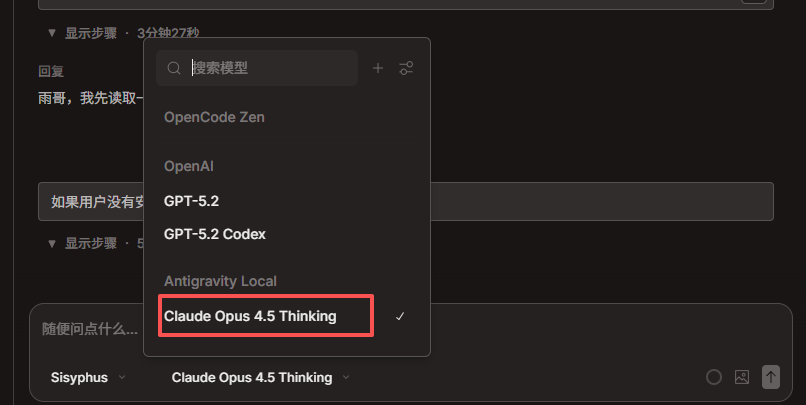
Step 3️⃣ 开始使用
- 确保 Antigravity 反代已开启
- 启动 opencode
- 模型选择器 → Antigravity Local → 选择模型
- 开聊!
常用模型速查
| 模型 | 用途 |
|---|---|
| claude-opus-4-5-thinking | 深度思考,复杂任务 |
| claude-sonnet-4-5 | 日常对话,性价比高 |
| gemini-3-flash | 快速响应 |
| gemini-3-pro-high | 高质量输出 |
| gemini-3-pro-image | 图像生成 |
踩坑指南
429/503 错误?
→ 升级 Antigravity 到最新版(版本号问题是大坑)
→ 刷新账号配额 + 清除限流记录
连接被拒绝?
→ 检查 Antigravity 是否启动
→ 检查反代服务是否开启
找不到 Antigravity Local?
→ 检查 JSON 格式
→ 重启 opencode
想开鉴权?
把 apiKey 改成你的真实密钥即可
总结
核心就三步:
- Antigravity 开反代
- opencode 配 provider
- 选对模型开聊
来源:飞书 · AI Spark 知识库 | 原文(最新版):https://lcnniolukk80.feishu.cn/wiki/StamwxG9niYrVsk7hNic4XsQnTd | 归档:2026-06-04